

We Offer 100% Placement Assistance (Any Degree / Diploma Candidates / Year GAP / Non-IT / Any Passed Outs). Placement Records
Hire Talent (HR):+91-9707 240 250

Tired of Data Science courses that explain things instead of actually teaching you to do them? This Data Science course in Anna Nagar at Besant Technologies is built for people who want real skills, not just notes. It's an easy commute if you're coming from Shenoy Nagar, Aminjikarai, or Koyambedu. The syllabus covers Python, SQL, Machine Learning, Power BI, Tableau, Data Analytics, and Generative AI, taught by trainers who've actually built this stuff for companies before ever walking into a classroom.

Companies across Chennai, in IT, banking, healthcare, and retail, are hiring people who can sit down and work with data, not just describe what a model does. Training in Anna Nagar also puts you close to central Chennai's business offices, so placement drives and interviews don't turn into half a day of travel. This Data Science training in Anna Nagar includes live projects, a certificate you actually earn, and placement support built into the course, not added on later. Join classroom batches in Anna Nagar, or go online if that fits your week better. 📞 +91 8099770770 — Book a Free Demo Class Now

Have Queries? Ask our Experts

+91-8099 770 770

Available 24x7 for your queries

About the Data Science Course in Anna Nagar

Think about how many decisions a business makes in a day based on numbers somebody pulled together — what to stock, who to call back first, which customer is about to walk away. None of that happens by guessing anymore. It happens because someone knew how to read the data and act on it fast. That’s the exact skill this Data Science course in Anna Nagar is built around, and demand for it keeps climbing across Chennai, especially with how many companies have set up offices around Anna Nagar and the Koyambedu business stretch over the last few years.

At Besant Technologies, the course doesn’t start with theory and hope it sticks. It starts with how data actually moves through a company day to day — getting collected, cleaned up, modeled, and turned into something a manager can act on without needing a second meeting to explain it. Most of your time goes into live case studies and project work pulled from real business situations, not simplified problems designed to be easy to grade.

The syllabus runs through Python, SQL, Statistics, Machine Learning, Power BI, Tableau, and Data Visualization, alongside what companies are actually hiring for this year — Generative AI, LLMs, RAG pipelines, AI agent orchestration, MCP, MLOps, AutoML, vector databases, and cloud deployment on AWS and Azure. This isn’t the same LangChain-and-prompt-engineering checklist that was enough a couple years back — the field’s moved into multi-agent systems and production-grade AI pipelines, and that’s what’s covered here.

This works whether you’re straight out of college, already working and trying to move into a data role, or coming in from a field with nothing to do with tech. By the time you finish, you’ll have real project work to show, and that matters far more than a certificate with nothing behind it — it’s usually the difference between getting shortlisted for a Data Analyst, Data Scientist, Machine Learning, or Business Intelligence role, and getting passed over. Want to see how it runs before committing? Book a free demo (📞 +91 8099770770) — sit in on a class, talk to the trainer directly, and look through projects past students have built.

What You’ll Learn

The course blends core fundamentals with tools companies near Anna Nagar and across Chennai are hiring for right now, with mentors guiding you through each one:

  • Python, SQL & Statistics: NumPy, Pandas, and the statistical concepts that come up constantly once you’re doing real analysis work.
  • Dashboards & Reporting: Power BI and Tableau, taught so you can turn messy numbers into something a manager understands at a glance.
  • Machine Learning & Deep Learning: Real algorithms applied to real business problems, skipping the simplified versions most beginner courses rely on.
  • Generative AI & Agentic Systems: Hands-on work with LLMs, LangChain, LangGraph, RAG pipelines, AI agent orchestration, and MCP — the frameworks running most AI-integrated Data Science work this year.
  • MLOps & AutoML: Model monitoring, CI/CD pipelines, and AutoML tools for faster, production-ready model building.
  • Vector Databases & Semantic Search: Embedding-based search, now the backbone of most AI-powered applications.
  • Cloud Deployment: How models actually get deployed and monitored on AWS and Azure, not just how they’re built.
  • Project-Based Learning: Complete projects on real datasets, the kind you can walk a recruiter through instead of summarizing in one line.
  • Career Support: Resume work, GitHub cleanup, and interview practice handled one-on-one, so you’re ready when a role near Anna Nagar or elsewhere in Chennai opens up.

Answer 3 Simple Questions

Get upto 30%* Discount in all courses. Limited Offer. T&c Apply.

Register now

Upcoming Batch Schedule for Data Science Training in Anna Nagar

All students at Besant Technologies have flexible schedules. The data science class schedule for the data science classroom training course can be seen below. Please let us know if the schedules do not match.

  • 05-10-2026 Mon (Mon - Fri)Weekdays Batch 08:00 AM (IST)(Class 1Hr - 1:30Hrs) / Per Session Get Fees
  • 08-10-2026 Thu (Mon - Fri)Weekdays Batch 08:00 AM (IST)(Class 1Hr - 1:30Hrs) / Per Session Get Fees
  • 03-10-2026 Sat (Sat - Sun)Weekend Batch 11:00 AM (IST) (Class 3Hrs) / Per Session Get Fees
Data Science Course in Anna Nagar

Can’t find a batch you were looking for?

Try it out, on us

Take the first step in your learning journey. Get hands-on experience and be a master. Buy 3 course @24,999/-

Learn more

Syllabus of Data Science Course in Anna Nagar

Data Science with Python

Module 1: Introduction to Data Science

  • What is Data Science?
  • What is Machine Learning?
  • What is Deep Learning?
  • What is AI?
  • Data Analytics & its types

Module 2: Introduction to Python

  • What is Python?
  • Why Python?
  • Installing Python
  • Python IDEs
  • Jupyter Notebook Overview
Hands-on-Exercise:
  • Installing Python idle for windows,Linux and
  • Creating “Hello World” code

Module 3: Python Basics

  • Python Basic Data types
  • Lists
  • Slicing
  • IF statements
  • Loops
  • Dictionaries
  • Tuples
  • Functions
  • Array
  • Selection by position & Labels
Hands-on-Exercise-Constructing Operators
  • Practice and Quickly learn Python necessary skills by solving simple questions and problems.
  • how Python uses indentation to structure a program, and how to avoid some common indentation errors.
  • You executed to make simple numerical lists, as well as a few operations you can perform on numerical lists, tuple, dictionary and set

Module 4: Python Packages

  • Pandas
  • Numpy
  • Sci-kit Learn
  • Mat-plot library
Hands-on-Exercise:
  • Installing jupyter notebook for windows, Linux and
  • Installing numpy, pandas and matplotlib

Module 5: Importing Data

  • Reading CSV files
  • Saving in Python data
  • Loading Python data objects
  • Writing data to CSV file
Hands-on-Exercise:
  • To generate data sets and create visualizations of that data. You learned to create simple plots with matplotlib, and you saw how to use a scatter plot to explore random
  • You learned to create a histogram with Pygal and how to use a histogram to explore the results of rolling dice of different
  • Generating your own data sets with code is an interesting and powerful way to model and explore a wide variety of real-world
  • As you continue to work through the data visualization projects that follow, keep an eye out for situations you might be able to model with

Module 6: Manipulating Data

  • Selecting rows/observations
  • Rounding Number
  • Selecting columns/fields
  • Merging data
  • Data aggregation
  • Data munging techniques
Hands-on-Exercise:
  • As you gain experience with CSV and JSON files, you’ll be able to process almost any data you want to analyze.
  • Most online data sets can be downloaded in either or both of these From working with these formats, you’ll be able to learn other data formats as well.

Module 7: Statistics Basics

  • Central Tendency
    • Mean
    • Median
    • Mode
    • Skewness
    • Normal Distribution
  • Probability Basics
    • What does it mean by probability?
    • Types of Probability
    • ODDS Ratio?
  • Standard Deviation
    • Data deviation & distribution
    • Variance
  • Bias variance Tradeoff
    • Underfitting
    • Overfitting
  • Distance metrics
    • Euclidean Distance
    • Manhattan Distance
  • Outlier analysis
    • What is an Outlier?
    • Inter Quartile Range
    • Box & whisker plot
    • Upper Whisker
    • Lower Whisker
    • Scatter plot
    • Cook’s Distance
  • Missing Value treatment
    • What is NA?
    • Central Imputation
    • KNN imputation
    • Dummification
  • Correlation
    • Pearson correlation
    • positive & Negative correlation
Hands-on-Exercise:
  • Compute probability in a situation where there are equally-likely outcomes
  • Apply concepts to cards and dice
  • Compute the probability of two independent events both occurring
  • Compute the probability of either of two independent events occurring
  • Do problems that involve conditional probabilities
  • Calculate the probability of two independent events occurring
  • List all permutations and combinations
  • Apply formulas for permutations and combinations

Module 8: Error Metrics

  • Classification
    • Confusion Matrix
    • Precision
    • Recall
    • Specificity
    • F1 Score
  • Regression
    • MSE
    • RMSE
    • MAPE
Hands-on-Exercise:
  • State why the z’ transformation is necessary
  • Compute the standard error of z
  • Compute a confidence interval on ρ The computation of a confidence interval
  • Estimate the population proportion from sample proportions
  • Apply the correction for continuity

Machine Learning

Supervised Learning

  • Linear Regression
    • Linear Equation
    • Slope
    • Intercept
    • R square value
  • Logistic regression
    • ODDS ratio
    • Probability of success
    • Probability of failure Bias Variance Tradeoff
    • ROC curve
    • Bias Variance Tradeoff
Hands-on-Exercise:
  • we’ve reviewed the main ways to approach the problem of modeling data using simple and definite

Unsupervised Learning

  • K-Means
  • K-Means ++
  • Hierarchical Clustering

SVM

  • Support Vectors
  • Hyperplanes
  • 2-D Case
  • Linear Hyperplane

SVM Kernal

  • Linear
  • Radial
  • polynomial

Other Machine Learning algorithms

  • K – Nearest Neighbour
  • Naïve Bayes Classifier
  • Decision Tree – CART
  • Decision Tree – C50
  • Random Forest
Hands-on-Exercise:
  • We have covered the simplest but still very practical machine learning models in an eminently practical way to get us started on the complexity
  • where we will cover several regression techniques, it will be time to go and solve a new type of problem that we have not worked on, even if it’s possible to solve the problem with clustering methods (regression), using new mathematical tools for approximating unknown values.
  • In it, we will model past data using mathematical functions, and try to model new output based on those modeling

Artificial Intelligence

Module 1: AI Introduction

  • Perceptron
  • Multi-Layer perceptron
  • Markov Decision Process
  • Logical Agent & First Order Logic
  • AL Applications

Deep Learning

Module 1: Deep Learning Algorithms

  • CNN – Convolutional Neural Network
  • RNN – Recurrent Neural Network
  • ANN – Artificial Neural Network
Hands-on-Exercise:
  • We took a very important step towards solving complex problems together by means of implementing our first neural
  • Now, the following architectures will have familiar elements, and we will be able to extrapolate the knowledge acquired on this chapter, to novel

Introduction to NLP

  • Text Pre-processing
  • Noise Removal
  • Lexicon Normalization
  • Lemmatization
  • Stemming
  • Object Standardization

Text to Features (Feature Engineering)

  • Syntactical Parsing
  • Dependency Grammar
  • Part of Speech Tagging
  • Entity Parsing
  • Named Entity Recognition
  • Topic Modelling
  • N-Grams
  • TF – IDF
  • Frequency / Density Features
  • Word Embedding’s

Tasks of NLP

  • Text Classification
  • Text Matching
  • Levenshtein Distance
  • Phonetic Matching
  • Flexible String Matching
Hands-on-Exercise:
  • provided, you will even be able to create new customized
  • As our models won’t be enough to solve very complex problems, in the following chapter, our scope will expand even more, adding the important dimension of time to the set of elements included in our generalization.

Tableau

Module 1: Tableau Course Material

  • Start Page
  • Show Me
  • Connecting to Excel Files
  • Connecting to Text Files
  • Connect to Microsoft SQL Server
  • Connecting to Microsoft Analysis Services
  • Creating and Removing Hierarchies
  • Bins
  • Joining Tables
  • Data Blending

Module 2: Learn Tableau Basic Reports

  • arameters
  • Grouping Example 1
  • Grouping Example 2
  • Edit Groups
  • Set
  • Combined Sets
  • Creating a First Report
  • Data Labels
  • Create Folders
  • Sorting Data
  • Add Totals, Subtotals and Grand Totals to Report

Hands-on-Exercise:

  • Install Tableau Desktop
  • Connect Tableau to various Datasets: Excel and CSV files

Module 3: Learn Tableau Charts

  • Area Chart
  • Bar Chart
  • Box Plot
  • Bubble Chart
  • Bump Chart
  • Bullet Graph
  • Circle Views
  • Dual Combination Chart
  • Dual Lines Chart
  • Funnel Chart
  • Traditional Funnel Charts
  • Gantt Chart
  • Grouped Bar or Side by Side Bars Chart
  • Heatmap
  • Highlight Table
  • Histogram
  • Cumulative Histogram
  • Line Chart
  • Lollipop Chart
  • Pareto Chart
  • Pie Chart
  • Scatter Plot
  • Stacked Bar Chart
  • Text Label
  • Tree Map
  • Word Cloud
  • Waterfall Chart
Hands-on-Exercise:
  • Create and use Static Sets
  • Create and use Dynamic Sets
  • Combine Sets into more Sets
  • Use Sets as filters
  • Create Sets via Formulas
  • Control Sets with Parameters
  • Control Reference Lines with Parameters

Module 4: Learn Tableau Advanced Reports

  • Dual Axis Reports
  • Blended Axis
  • Individual Axis
  • Add Reference Lines
  • Reference Bands
  • Reference Distributions
  • Basic Maps
  • Symbol Map
  • Use Google Maps
  • Mapbox Maps as a Background Map
  • WMS Server Map as a Background Map
Hands-on-Exercise:
  • Create Barcharts
  • Create Area Charts
  • Create Maps
  • Create Interactive Dashboards
  • Create Storylines
  • Understand Types of Joins and how they work
  • Work with Data Blending in Tableau
  • Create Table Calculations
  • Work with Parameters
  • Create Dual Axis Charts
  • Create Calculated Fields

Module 5: Learn Tableau Calculations & Filters

  • Calculated Fields
  • Basic Approach to Calculate Rank
  • Advanced Approach to Calculate Ra
  • Calculating Running Total
  • Filters Introduction
  • Quick Filters
  • Filters on Dimensions
  • Conditional Filters
  • Top and Bottom Filters
  • Filters on Measures
  • Context Filters
  • Slicing Fliters
  • Data Source Filters
  • Extract Filters
Hands-on-Exercise:
  • Creating Data Extracts in Tableau
  • Understand Aggregation, Granularity, and Level of Detail
  • Adding Filters and Quick Filters

Module 6: Learn Tableau Dashboards (Duration – 4 Hours)

  • Create a Dashboard
  • Format Dashboard Layout
  • Create a Device Preview of a Dashboard
  • Create Filters on Dashboard
  • Dashboard Objects
  • Create a Story

Module 7: Server (Duration – 5 Hours)

  • Tableau online.
  • Overview of Tableau
  • Publishing Tableau objects and scheduling/subscription.
Hands-on-Exercise:
  • Create Data Hierarchies
  • Adding Actions to Dashboards (filters & highlighting)
  • Assigning Geographical Roles to Data Elements
  • Advanced Data Preparation

Oracle Database

Introduction to Oracle Database

  • List the features of Oracle Database 11g
  • Discuss the basic design, theoretical, and physical aspects of a relational database
  • Categorize the different types of SQL statements
  • Describe the data set used by the course
  • Log on to the database using SQL Developer environment
  • Save queries to files and use script files in SQL Developer
Hands-on-Exercise:
  • Prepare your environment
  • Work with Oracle database tools
  • Understand and work with language features

Retrieve Data using the SQL SELECT Statement

  • List the capabilities of SQL SELECT statements
  • Generate a report of data from the output of a basic SELECT statement
  • Select All Columns
  • Select Specific Columns
  • Use Column Heading Defaults
  • Use Arithmetic Operators
  • Understand Operator Precedence
  • Learn the DESCRIBE command to display the table structure
Hands-on-Exercise
  • Individual statements in SQL scripts are commonly terminated by a line break (or carriage return) and a forward slash on the next line, instead of a semicolon.
  • You can create a SELECT statement, terminate it with a line break, include a forward slash to execute the statement, and save it in a script file.

Learn to Restrict and Sort Data

  • Write queries that contain a WHERE clause to limit the output retrieved
  • List the comparison operators and logical operators that are used in a WHERE clause
  • Describe the rules of precedence for comparison and logical operators
  • Use character string literals in the WHERE clause
  • Write queries that contain an ORDER BY clause to sort the output of a SELECT statement
  • Sort output in descending and ascending order
Hands-on-Exercise:
  • Creating the queries in a compound query must return the same number of columns.
  • Create corresponding columns in each query must be of compatible data types.
  • ORDER BY; it is, however, permissible to place a single ORDER BY clause at the end of the compound query

Usage of Single-Row Functions to Customize Output

  • Describe the differences between single row and multiple row functions
  • Manipulate strings with character function in the SELECT and WHERE clauses
  • Manipulate numbers with the ROUND, TRUNC, and MOD functions
  • Perform arithmetic with date data
  • Manipulate dates with the DATE functions
Hands-on-Exercise:
  • Create the distinction is made between single- row functions, which execute once for each
  • row in a dataset, and multiple-row functions, which execute once for all the rows in a data- set.

Invoke Conversion Functions and Conditional Expressions

  • Describe implicit and explicit data type conversion
  • Use the TO_CHAR, TO_NUMBER, and TO_DATE conversion functions
  • Nest multiple functions
  • Apply the NVL, NULLIF, and COALESCE functions to data
  • Use conditional IF THEN ELSE logic in a SELECT
Hands-on-Exercise:
  • we create and discuss the NVL function, which provides a mechanism to convert null values into more arithmetic-friendly data values.

Aggregate Data Using the Group Functions

  • Use the aggregation functions in SELECT statements to produce meaningful reports
  • Divide the data into groups by using the GROUP BY clause
  • Exclude groups of date by using the HAVING clause
Hands-on-Exercise:
  • Group functions operate on aggregated data and return a single result per group.
  • These groups usually consist of zero or more rows of data.

Display Data from Multiple Tables Using Joins

  • Write SELECT statements to access data from more than one table
  • View data that generally does not meet a join condition by using outer joins
  • Join a table by using a self-join

Use Subqueries to Solve Queries

  • Describe the types of problem that subqueries can solve
  • Define sub-queries
  • List the types of sub-queries
Hands-on-Exercise:
  • Write a query that uses subqueries in the column projection list.
  • Write single-row and multiple-row subqueries

The SET Operators

  • Describe the SET operators
  • Use a SET operator to combine multiple queries into a single query
  • Control the order of rows returned
Hands-on-exercise:
  • Create The queries in the compound query must return the same number of columns.
  • creating The corresponding columns must be of compatible data type.
  • creating The set operators have equal precedence and will be applied in the order they are specified.

Data Manipulation Statements

  • Describe each DML statement
  • Insert rows into a table
  • Change rows in a table by the UPDATE statement
  • Delete rows from a table with the DELETE statement
  • Save and discard changes with the COMMIT and ROLLBACK statements
  • Explain read consistency
Hands-on-exercise:
  • Expressions and create expose a vista of data manipulation possibilities through the interaction of arithmetic and character operators with column or literal data, or a combination of the two.

Use of DDL Statements to Create and Manage Tables

  • Categorize the main database objects
  • Review the table structure
  • List the data types available for columns
  • Create a simple table
  • Decipher how constraints can be created at table creation
  • Describe how schema objects work

Other Schema Objects

  • Create a simple and complex view
  • Retrieve data from views
  • Create, maintain, and use sequences
  • Create and maintain indexes
  • Create private and public synonyms

Control User Access

  • Differentiate system privileges from object privileges
  • Create Users
  • Grant System Privileges
  • Create and Grant Privileges to a Role
  • Change Your Password
  • Grant Object Privileges
  • How to pass on privileges?
  • Revoke Object Privileges
Hands-on-exercise:
  • create users and execute the

Management of Schema Objects

  • Add, Modify and Drop a Column
  • Add, Drop and Defer a Constraint
  • How to enable and Disable a Constraint?
  • Create and Remove Indexes
  • Create a Function-Based Index
  • Perform Flashback Operations
  • Create an External Table by Using ORACLE_LOADER and by Using ORACLE_DATAPUMP
  • Query External Tables
Hands-on-exercise:
  • Create the function based index and types.

Manage Objects with Data Dictionary Views

  • Explain the data dictionary
  • Use the Dictionary Views
  • USER_OBJECTS and ALL_OBJECTS Views
  • Table and Column Information
  • Query the dictionary views for constraint information
  • Query the dictionary views for view, sequence, index, and synonym information
  • Add a comment to a table
  • Query the dictionary views for comment information

Manipulate Large Data Sets

  • Use Subqueries to Manipulate Data
  • Retrieve Data Using a Subquery as Source
  • Insert Using a Subquery as a Target
  • Usage of the WITH CHECK OPTION Keyword on DML Statements
  • List the types of Multitable INSERT Statements
  • Use Multitable INSERT Statements
  • Merge rows in a table
  • Track Changes in Data over a period of time

Data Management in Different Time Zones

  • Time Zones
  • CURRENT_DATE, CURRENT_TIMESTAMP, and LOCALTIMESTAMP
  • Compare Date and Time in a Session’s Time Zone
  • DBTIMEZONE and SESSIONTIMEZONE
  • Difference between DATE and TIMESTAMP
  • INTERVAL Data Types
  • Use EXTRACT, TZ_OFFSET, and FROM_TZ
  • Invoke TO_TIMESTAMP, TO_YMINTERVAL and TO_DSINTERVAL

Retrieve Data Using Sub-queries

  • Multiple-Column Subqueries
  • Pairwise and Non Pairwise Comparison
  • Scalar Subquery Expressions
  • Solve problems with Correlated Subqueries
  • Update and Delete Rows Using Correlated Subqueries
  • The EXISTS and NOT EXISTS operators
  • Invoke the WITH clause
  • The Recursive WITH clause

Regular Expression Support

  • Use the Regular Expressions Functions and Conditions in SQL
  • Use Meta Characters with Regular Expressions
  • Perform a Basic Search using the REGEXP_LIKE function
  • Find patterns using the REGEXP_INSTR function
  • Extract Substrings using the REGEXP_SUBSTR function
  • Replace Patterns Using the REGEXP_REPLACE function
  • Usage of Sub-Expressions with Regular Expression Support
  • Implement the REGEXP_COUNT function
Hands-on-exercise:
  • Expressions and create the regular columns may be aliased using the AS keyword or by leaving a space between the column or expression and the alias. In this way, both wildcard symbols can be used as either specialized or regular characters in different segments of the same character string.

Download Data Science Course Syllabus

Corporate E-Learning & Training

Educate employee's in form of learning programs means in turn the success of your business/organization.

Tune up

Meet Priya Natarajan – Data Science Course Trainer in Anna Nagar

Ask anyone who’s actually switched careers into data, and they’ll tell you the trainer matters more than the syllabus on paper. Priya Natarajan has taught 7,500+ students at this point, some fresh out of college with no clue where to start, some already working and trying to pivot into a Data Analyst or Data Scientist role, some coming from backgrounds — teaching, finance, even law — that have nothing to do with tech. Before any of that, she spent close to a decade building and running Machine Learning systems for companies, so when she explains something, it’s usually followed by “and here’s where this actually goes wrong once it’s live.” Students have joined her batches from India, the UK, Ireland, Australia, and the UAE, either at our Anna Nagar center or live online.

Teaching That Comes From Having Done It, Not Read About It

  • Projects First, Always: You build dashboards, predictive models, and working applications on data that looks like what companies near Anna Nagar and Koyambedu actually deal with — not a tidy textbook version of a dataset.
  • Not Teaching Last Year’s Syllabus: LLMs, RAG pipelines, AI agent orchestration, MCP, MLOps, AutoML, and vector databases aren’t treated as extras bolted on at the end — they’re taught right alongside Python and SQL, because that’s genuinely what’s coming up in interviews now.
  • Answers That Don’t Stop at “It Depends”: A lot of trainers dodge hard questions about salary ranges, which companies are actually hiring, or how long a career switch realistically takes. She doesn’t — students say that’s half the reason they stayed through the whole course.
  • Help That Doesn’t Wait Till the Course Ends: Resume corrections, GitHub reviews, LinkedIn fixes, mock interviews — all happening while you’re still learning, not rushed into the final week.

What Students Walk In Expecting in 2026 — And What They Actually Get

  • Not Just Another Python Course: Most people joining this year already know Data Science means more than coding — they want to know AI agents, automation, and cloud deployment too, and that’s exactly where this syllabus goes deeper than older, outdated programs.
  • Proof of Work, Not Just a Certificate: Employers in 2026 ask to see what you’ve built before they ask what you studied. Every project here is made to answer that question on the spot, in an interview, not just sit in a folder.
  • Clarity on Where the Field Is Actually Headed: Students don’t want vague promises about “AI is the future” anymore — they want a trainer who can explain, concretely, which roles are growing, which are shrinking, and where they personally fit.

Why Learners Around Anna Nagar Choose This Training

  • 7,500+ Students Taught, spanning both technical backgrounds and complete beginners
  • Classroom Batches in Anna Nagar, with live online sessions open to students from Koyambedu, the central business stretch, or anywhere else in Chennai
  • A Trainer Known Beyond Chennai, having taught learners from the UK, Ireland, Australia, UAE, and a few other countries over the years

Built Toward One Thing — Getting You Hired

  • Interview Prep That Isn’t Copy-Pasted: Mock technical rounds, live coding sessions, and questions taken from actual interviews, not the same recycled list every prep guide repeats
  • A Profile That Survives Actual Scrutiny: A GitHub worth opening, a resume that clears ATS filters instead of vanishing into a pile, and a LinkedIn page that doesn’t look like it was filled in from a template
  • Placement Support That Doesn’t Stop Halfway: Guidance toward Data Analyst, Data Scientist, Machine Learning, and Business Intelligence roles at companies across Chennai, Bengaluru, and other cities with active hiring, with Data Analytics work forming the backbone of most of these roles

Book a Free Demo With Priya Natarajan 📞 +91 8099770770 — Start Your Data Science Course in Anna Nagar Today

Find your next job with Besant

400+ Students getting placed every month from startup to top level MNC's with decent package after doing course.

Placement record Get your job

Data Science Certification Course in Anna Nagar — Besant Technologies

Besant Technologies Certification is Accredited by all major Global Companies around the world. We provide after completion of the theoretical and practical sessions to fresher’s as well as corporate trainees.

Our certification at Besant Technologies is accredited worldwide. It increases the value of your resume and you can attain leading job posts with the help of this certification in leading MNC’s of the world. The certification is only provided after successful completion of our training and practical based projects.
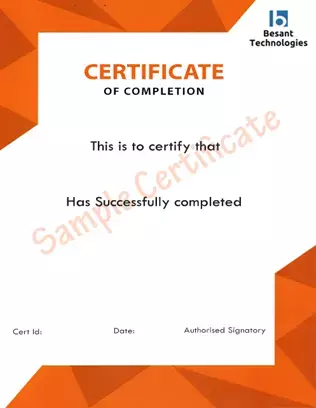
Data Science Course in Anna Nagar

Here’s the honest version: a certificate alone doesn’t get you a job. What gets you shortlisted is being able to sit down and actually do the work when someone’s watching. That said, the training here covers the same ground tested in certifications like IBM’s Data Science Professional Certificate, Microsoft’s Azure Data Scientist Associate, and Google’s Data Analytics Professional Certificate — so if you decide to go after one later, you’re not starting cold. Recruiters hiring around Anna Nagar and the Koyambedu business stretch care about one thing above all: Python, statistical modeling, Machine Learning, proven through something you actually built, not something you sat through half-listening.

What You Actually Have to Clear to Get Certified

  • Finish the complete curriculum — Python, Statistics, Machine Learning, Deep Learning, NLP, plus where the field’s gone: Generative AI, LLMs, Agentic AI systems, MCP, and MLOps.
  • Build something real, end to end — not a toy demo, an actual deployed project on a real dataset, using LangChain, LangGraph, RAG pipelines, AI agent orchestration, vector databases, and AutoML tools.
  • Pass the applied skills check — Python, SQL, model building, feature engineering, basic AWS or Azure deployment, Docker, and either Power BI or Tableau.

Why This Certificate Is Actually Worth Earning

  • Your resume stops getting auto-rejected by ATS filters, your LinkedIn profile actually surfaces when a recruiter searches, and your GitHub backs up what’s written on paper instead of contradicting it.
  • Real shot at roles like Data Analyst, Data Scientist, Machine Learning Engineer, and Business Intelligence Analyst — the kind of roles companies like TCS, Infosys, Cognizant, Zoho, and Accenture are actively hiring for across Chennai right now, plus newer paths in Applied AI if that’s the direction you want.
  • It holds up wherever you’re applying — Anna Nagar, elsewhere in Chennai, or abroad — because it backs up things you can actually discuss in an interview, not just claims sitting on a page.

Got questions before committing? Call 📞 +91 8099770770 or book a free demo and talk it through with someone directly — Start Your Data Science Certification Journey in Anna Nagar.
Group Discount

Join in a group of three or more on same course we will be delighted to offer you a group discount.

Get Discount

Key Features of the Data Science Course in Anna Nagar

Most people shopping for a Data Science course end up comparing syllabus that all look the same on paper. What actually separates one course from another is whether what you learn gets tested against something real before it counts as “done.” That’s the whole idea behind this Data Science course in Anna Nagar — built around what companies around Shenoy Nagar, Aminjikarai, and the broader Anna Nagar belt are hiring for this year, not a syllabus that hasn’t been touched since 2022.

The Trainer, and Who Else Is in Your Batch

  • A Trainer Who’s Built Models for a Living, Not Just Taught About Them: Priya Natarajan spent close to a decade in Machine Learning roles before she ever ran a classroom, so she teaches from what actually goes wrong once something’s live, not a slide deck version of events.
  • Students From More Than One Background: Past batches have included learners from the UK, Ireland, Australia, and the UAE, alongside Indian students from completely different career paths — so the discussions in class aren’t limited to one country’s way of hiring.
  • Pick the Format That Fits You: Classroom sessions run at our Anna Nagar center, with live online batches open to anyone joining from Shenoy Nagar, Aminjikarai, or further out — weekday and weekend slots both available.

What’s Actually Taught, Updated for 2026

  • Core Stack: Python, SQL, Machine Learning, Deep Learning, NLP, Power BI, Tableau, Docker, Git & GitHub, with cloud deployment on AWS and Azure.
  • Generative AI and Agentic Systems: LLMs, LangChain, LangGraph, RAG pipelines, AI agent orchestration, and MCP — the frameworks most AI-integrated Data Science and Data Analytics roles run on this year.
  • MLOps and AutoML, Taught as Tools You’ll Use: Model monitoring, CI/CD pipelines, and AutoML platforms, covered as things you’ll actually reach for on the job, not terms you memorize for a test.
  • Vector Databases and Semantic Search: Already standard in most AI-powered products, and something a lot of entry-level courses still skip over entirely.
  • Deploying Models, Not Just Building Them: You’ll take a model out of a notebook and actually get it running somewhere, instead of leaving it as a one-off exercise.
  • Projects Built to Outlast the Course: Every assignment ends up useful later — on your GitHub, in an interview, wherever you need proof of what you can actually do.

Once the Classes Are Over

  • A Syllabus Built Around What North Chennai Companies Actually Want: Data Science and Data Analytics training covering Python, SQL, Machine Learning, Power BI, Tableau, MLOps, and the data engineering skills employers across the city are asking for right now.
  • Interview Prep That Isn’t Thrown Together at the Last Minute: Mock technical rounds, coding practice, a resume that actually clears ATS filters, and LinkedIn support — all part of the course from day one, not squeezed in at the end.
  • Placement Help That Doesn’t Stop at Anna Nagar: Guidance toward Data Analyst, Data Scientist, Machine Learning, and Business Intelligence roles across Chennai, planned out early instead of scrambled together in the last week.
  • A Certificate You Actually Have to Earn: A Besant Technologies Data Science Course Completion Certificate, given only once you’ve finished your assignments, assessments, and projects — not for just sitting through the sessions.

Still deciding? Talk it through first — call 📞 +91 8099770770 or book a free demo and see how a real class runs before you commit to anything. Begin Your Data Science Course in Anna Nagar

Ready to jump-start your career

Join the course, Get your resume modified from experts. Our students are being hired at the leading companies.

Let's go

Training Courses Reviews

I would like to highlight a few points about my association with Besant Technologies. The faculty members out here are super supportive. They make you understand a concept till they are convinced you have gotten a good grip over it. The second upside is definitely the amount of friendliness in their approach. I and my fellow mates always felt welcome whenever we had doubts. Thirdly, Besant offers extra support to students with a weaker understanding of the field of IT.

s

Siva Kumar

When I joined Besant Technologies, I didn’t really expect a lot from it, to be extremely honest. But as time went by, I realised I got from Besant Technologies exactly what I wanted- a healthy environment for learning. Cordial teachers and their valuable lectures make understanding things so much easy. I thank Besant for having been so supportive throughout the course.

D

Daniel

Student's Testimonials

Student's Testimonials

Student's Testimonials

Frequently Asked Questions


What does this Data Science course in Anna Nagar actually cover?

Python, SQL, Statistics, Machine Learning, Power BI, Tableau, plus the current stuff like LLMs, RAG, AI agents, and MLOps — basically what companies are hiring for this year, not what was relevant five years back.

I've never written a line of code. Is that going to be a problem?

Honestly, no. Most people who join haven’t either. Classes start from scratch and build up slowly, so nobody’s thrown in blind.

Which pays better — Data Analyst or Data Scientist roles?

Data Scientist roles usually pay more since there’s Machine Learning and AI work layered on top of analytics. This course covers both, so you’re not locked into one path before you’ve even started.

Do you actually teach AI agents and tools like MCP, or just mention them?

Teach them properly. AI agent orchestration, MCP, LangChain, RAG pipelines — all hands-on, not just slides with buzzwords on them.

Is placement help actually part of the course, or something I pay extra for?

It’s part of the course. Resume fixes, mock interviews, and placement guidance for Data Analyst, Data Scientist, and Business Intelligence roles across Chennai, no separate fee.

Do I have to physically show up in Anna Nagar for every class?

Not if that doesn’t work for you. We run classroom batches at our Anna Nagar center, but the same course runs live online too.

How long does the course take, roughly?

Depends on which batch you pick. You’ll get the real timeline when you book a free demo.

Do I actually get certified at the end?

Yes, but you earn it — finish the projects, clear the assessments, then it’s issued. Not handed out just for showing up.

I'm working full-time right now. Is there a batch that fits that?

Yeah, that’s exactly what the weekend batches are for.

Why is this better than just learning Data Science for free online?

Mostly because someone’s actually checking your work. Free resources won’t catch your mistakes or push you when you’re stuck, and that’s usually what trips people up when they try doing this alone.

Stay in the loop

Enroll for Classroom, Online, Corporate training.

Take the next step

Tell us what you’re looking for. Our expert team will help you find the best solution.

Contact sales

Besant Technologies Data Science Course in Anna Nagar View 9 Locations Nearby

Velachery

No.8, 11th Main road, Vijaya nagar,
Velachery, Chennai – 600 042
Tamil Nadu, India.

Landmark: Reliance Digital Showroom Opposite Street
View Location

Tambaram

1st Floor, No.2A Duraisami Reddy Street,
West Tambaram, Chennai – 600 045
Tamil Nadu,India.

Landmark:Near By Passport Seva
View Location

OMR

No. 5/318, 2nd Floor, Sri Sowdeswari Nagar,
OMR, Okkiyam Thoraipakkam, Chennai – 600 097
Tamil Nadu, India.

Landmark:Behind Okkiyampet Bus Stop
View Location

Porur

First Floor, 105C,
Mount Poonamallee Rd,
Sakthi Nagar, Porur,
Chennai, Tamil Nadu 600 116

Landmark: Near Saravana Stores
View Location

Anna Nagar

No.AK-2, RBN Tower, 1st Floor,
4th Avenue, Shanthi Colony,
Anna Nagar, Chennai - 600 040
Tamil Nadu, India

View Location

T.Nagar

48/4 ,2nd Floor, N Usman Rd,
Parthasarathi Puram, T. Nagar,
Chennai, Tamil Nadu 600017

Landmark:Opposite to Pantloons Showroom
View Location

Thiruvanmiyur

Plot no:140, 74/1 1st Floor, Janaki
Commercial Complex, Lattice Brg Rd
Thiruvanmiyur, Chennai - 600041

Landmark:Jayathi Theatre, Bus Stop
View Location

Maraimalai Nagar

No.37, 1st Floor, Thiruvalluvar Salai,
Maraimalai Nagar, Chennai 603 209,
Tamil Nadu, India

Landmark: Near to Maraimalai Nagar Arch
View Location

Siruseri

No. 4/76, Ambedkar Street, OMR Road,
Egatoor, Navallur, Siruseri, Chennai 600 130
Tamil Nadu, India

Landmark:Near Navallur Toll Gate
View Location
Besant Support

We're here to help

Know more about our products, find a sales partner and get specific answers from our expert team any time.

Get Support
Request a Callback

Land a ₹5–15 LPA IT Job in Just 120 Days With Placements, Nasscom Certification & Expert Mentors

Enroll Now